A PlantUML editor and ArchiMate modelling tool that renders diagrams instantly with CoreGraphics. No Java, no server, fully offline.
Model-first architecture
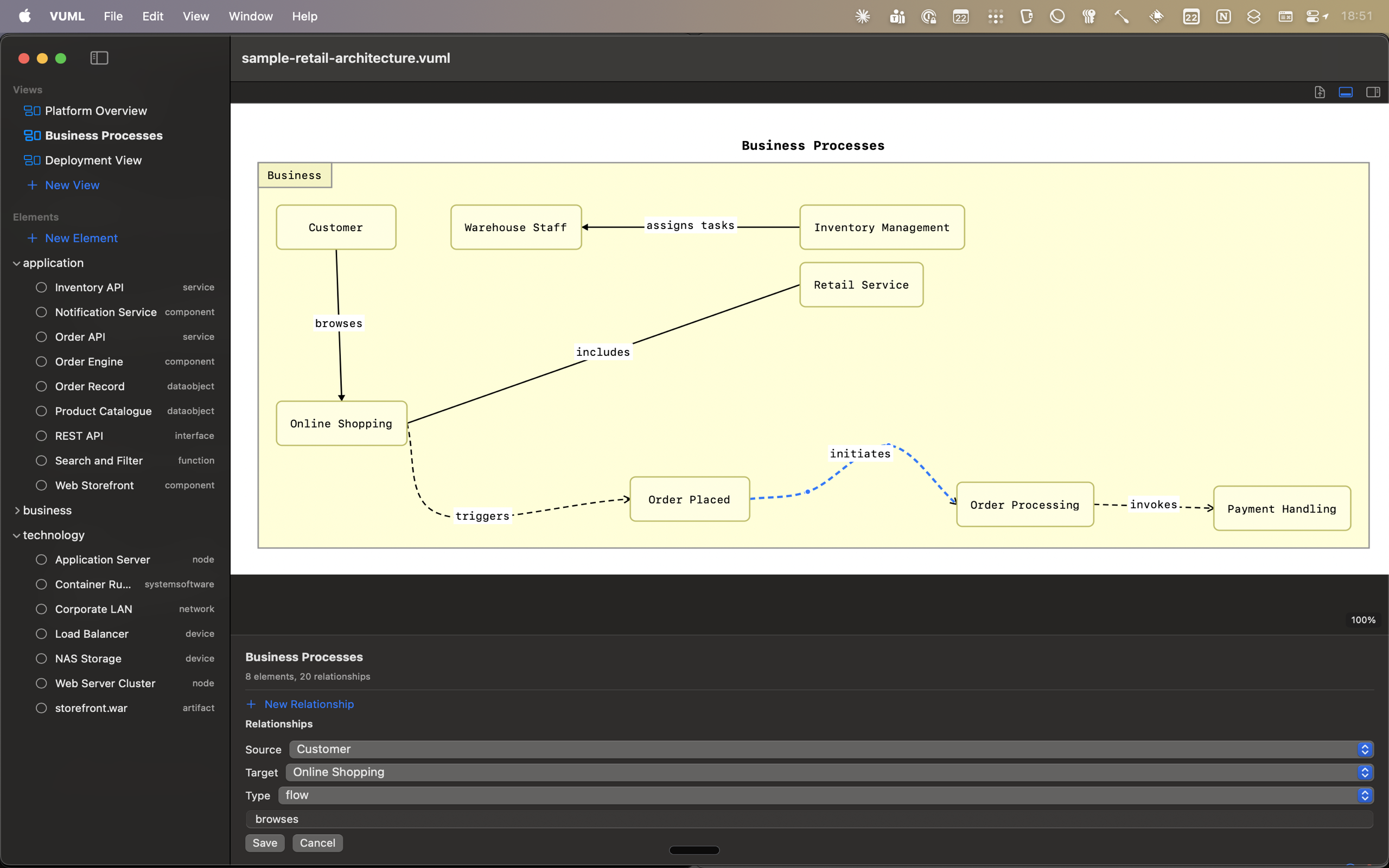
Elements are organised by ArchiMate layer -- business, application, and technology -- in a sidebar browser that shows every element and its type. Connections route as smooth bezier curves with labels along the path. The bottom panel lets you edit relationships directly: pick source, target, type, and label from dropdown menus. Multiple named views share a single element pool with no duplication.
Multi-view composition
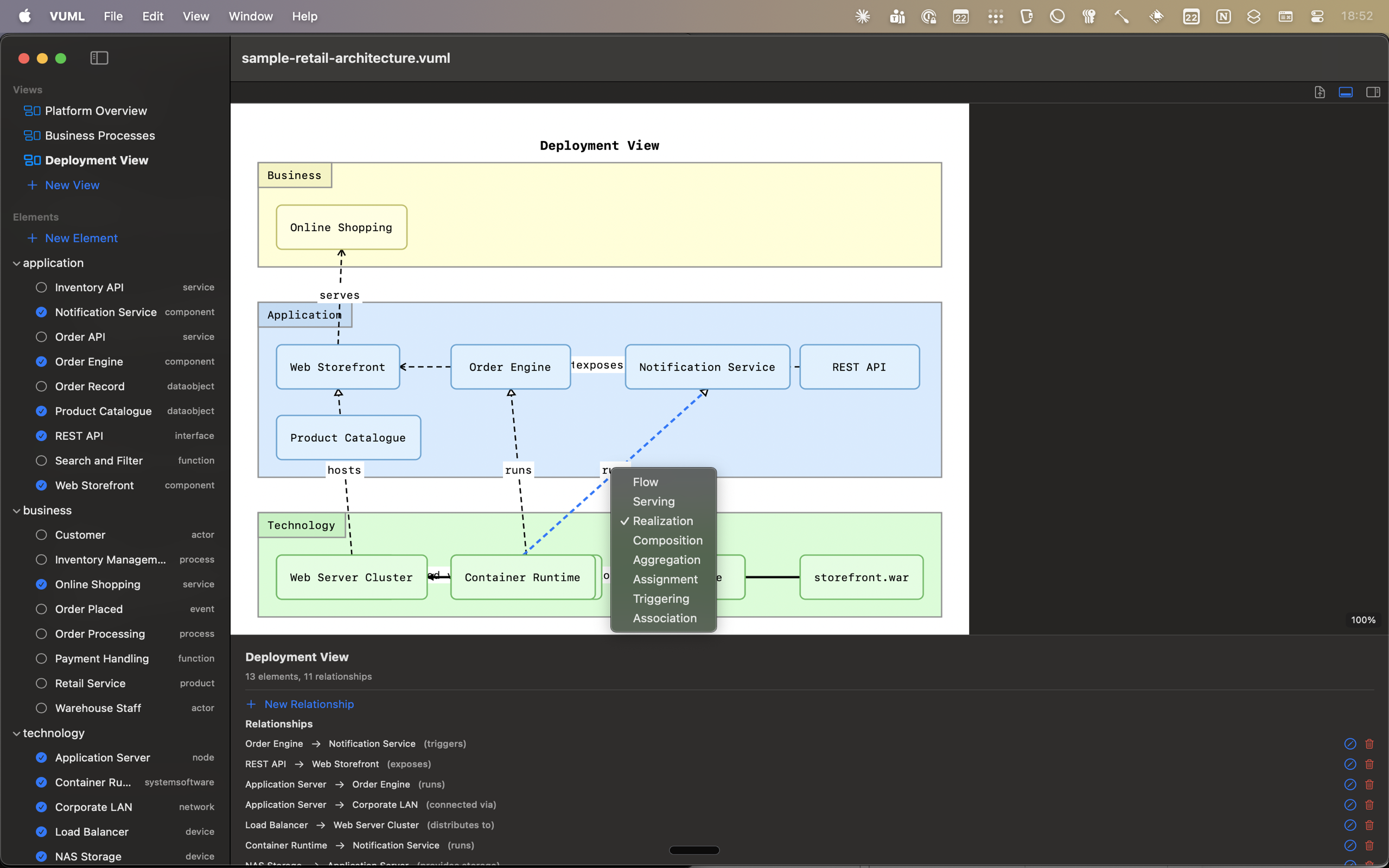
Create as many views as you need from a single element pool. A Deployment View can show all three layers at once -- business at the top, application in the middle, technology at the bottom -- with cross-layer relationships drawn automatically. The type picker supports the full ArchiMate vocabulary: flow, serving, realisation, composition, assignment, triggering, and association.
Text mode
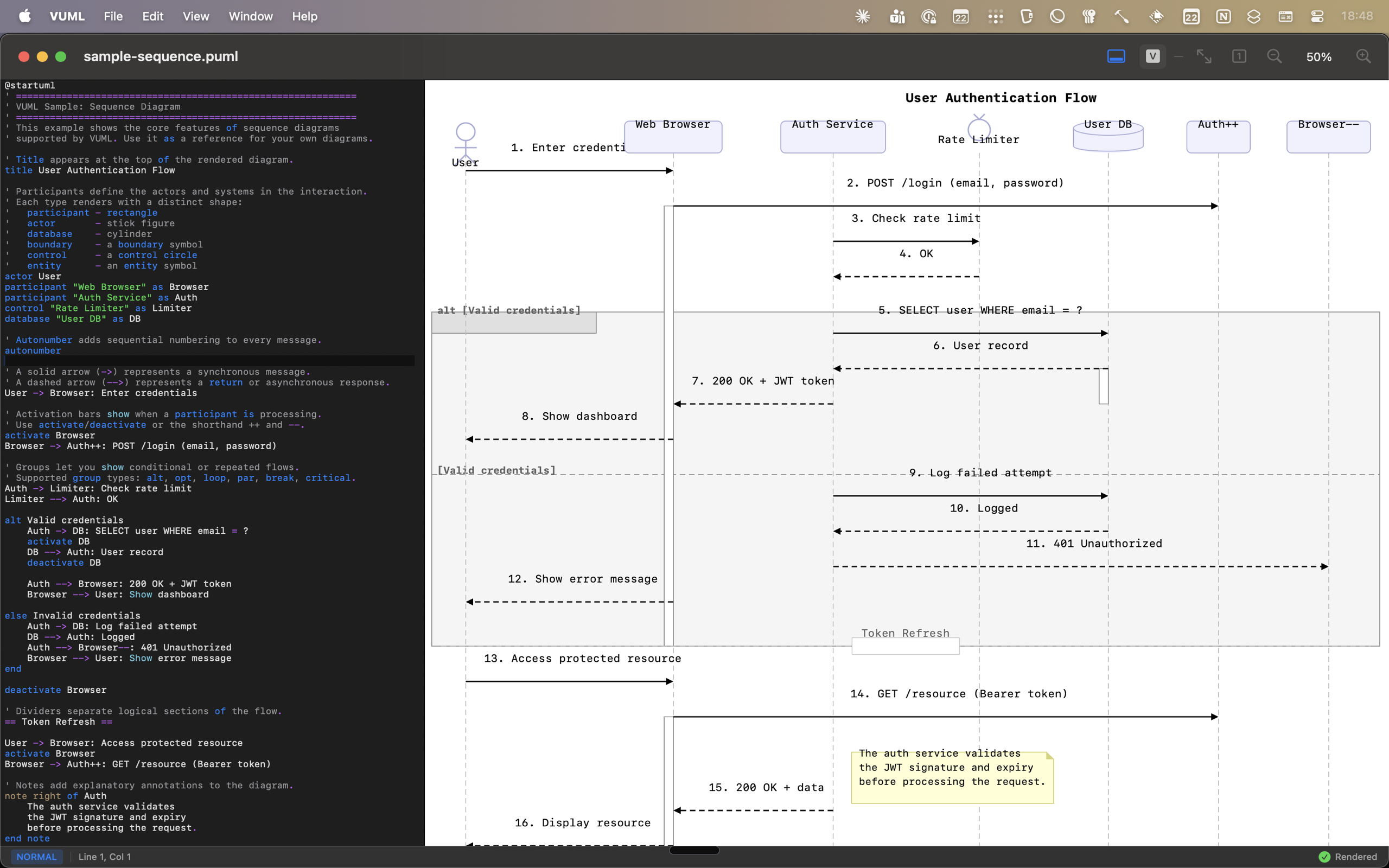
Write PlantUML in a syntax-highlighted editor and see the diagram render in real time on the right. An optional Vim engine provides modal editing with operators, motions, text objects, registers, macros, marks, dot repeat, and visual mode. The status bar shows your current mode. Diagrams update as you type with configurable debounce.
Every diagram is drawn with CoreGraphics. No PlantUML JAR, no Java runtime, no network round-trip. Open the app and start typing.
Participants, messages, activation bars, groups, alt/opt/loop fragments, and notes.
Classes, interfaces, enums, abstract classes with fields, methods, visibility, and UML relationships.
Components, packages, nodes, databases, queues, and nested containers.
Full ArchiMate 3.1 support across business, application, and technology layers with all relationship types.
State machines with transitions, composite states, and fork/join synchronisation.
Workflows with decisions, loops, swim lanes, and parallel forks.
Actor-to-system interactions with include and extend relationships.
Work breakdown structures decomposing deliverables into hierarchical task trees.
VUML never makes a network request. Your diagrams stay on your machine. No account, no telemetry, no analytics.
Built with Swift and SwiftUI. Standard keyboard shortcuts, dark and light appearance, Finder integration for .puml and .vuml files.
No Java. No PlantUML JAR. No server. Open the app, start typing, see your diagram. Rendering is done with CoreGraphics.
One purchase. No recurring fees. No in-app purchases. No feature gates. You buy it and it is yours.
$29.99
One-time purchase. All features included. All future updates.